Reports

Workforce capacity planner

Built to plan and track engineering staff time across a portfolio of research experiments. It follows each request from application through feasibility and allocation approval, turns planned allocations into FTE by quarter for every experiment, ticket, person and hub, checks the plan against each person’s capacity, and compares planned hours with the hours actually logged.

My role: designed and built the report end to end, from shaping the ticket and time-log data in Power Query to the data model, the DAX measures and every page.

Power BI Power Query DAX Data modelling SharePoint Clockify Power Automate
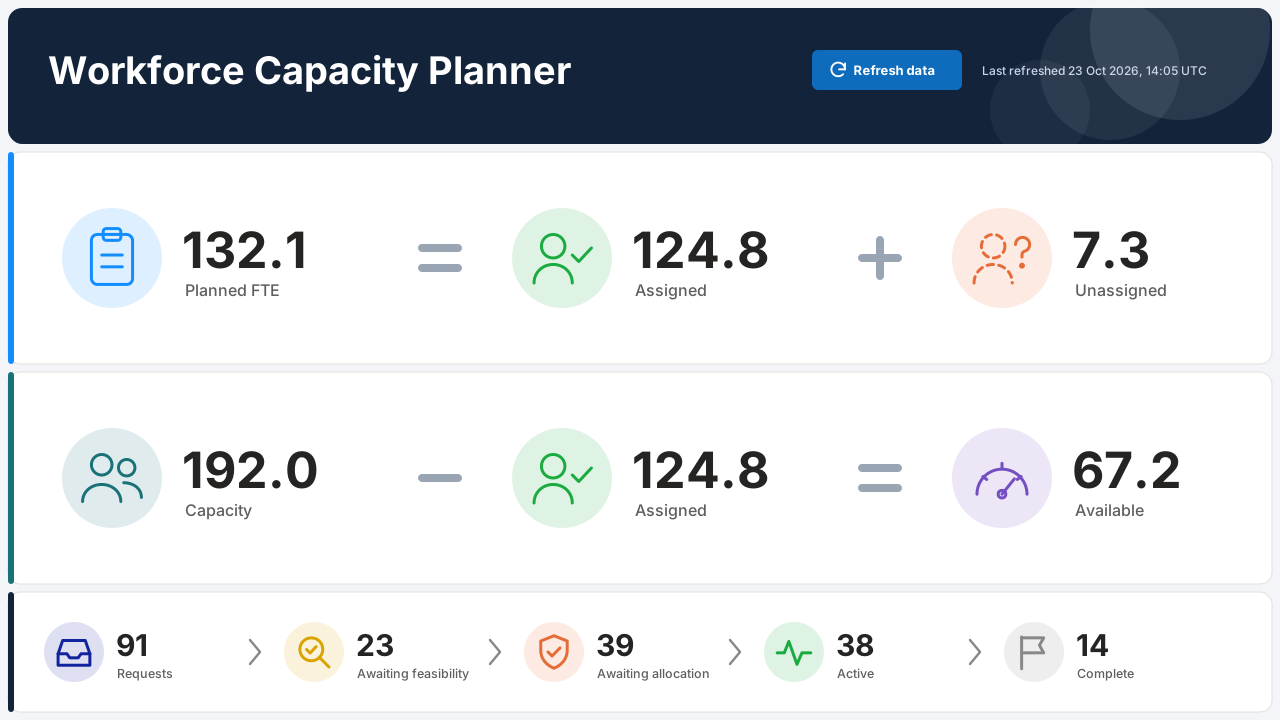
  1. Overview: team capacity, planned workload and the request pipeline, on synthetic data: the metric definitions drawn as icon equations with live figures (planned FTE equals assigned plus unassigned; capacity minus assigned equals available), and the ticket pipeline from request to completion. Overview: team capacity, planned workload and the request pipeline
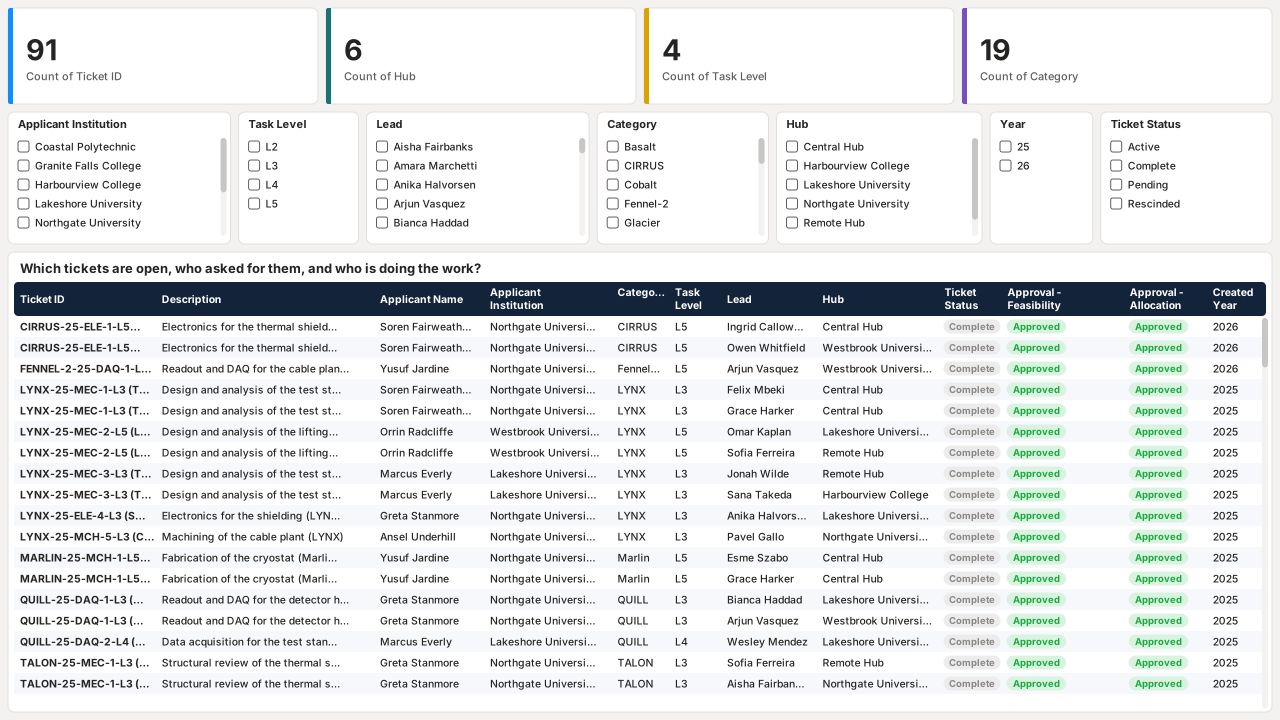
  2. Every request that came in, who asked for it and who is leading it, on synthetic data: KPI cards for tickets, hubs, task levels and experiments, seven slicers, and a table of every ticket with its applicant, lead, hub, status and approvals, with statuses colour-coded. Every request that came in, who asked for it and who is leading it
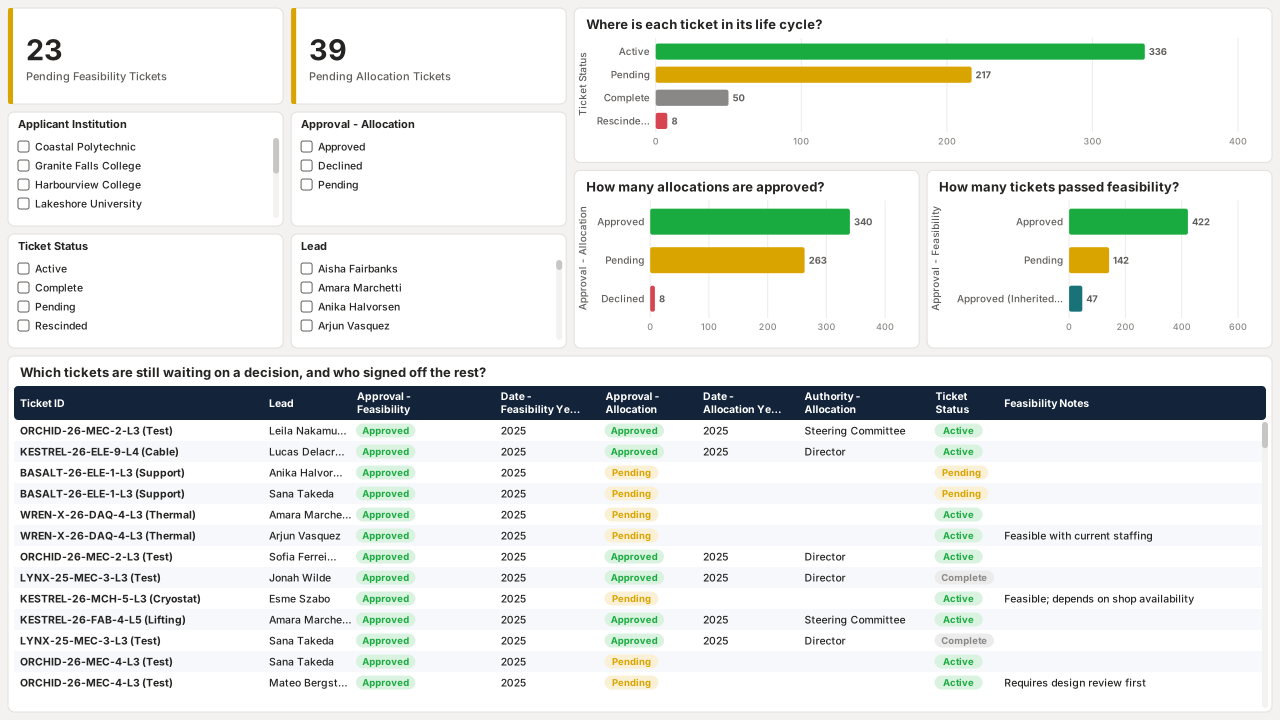
  3. Where each request stands in feasibility and allocation approval, on synthetic data: counts of tickets pending feasibility and allocation approval, bar charts of tickets by status and approval stage, and a review table sorted by feasibility date. Where each request stands in feasibility and allocation approval
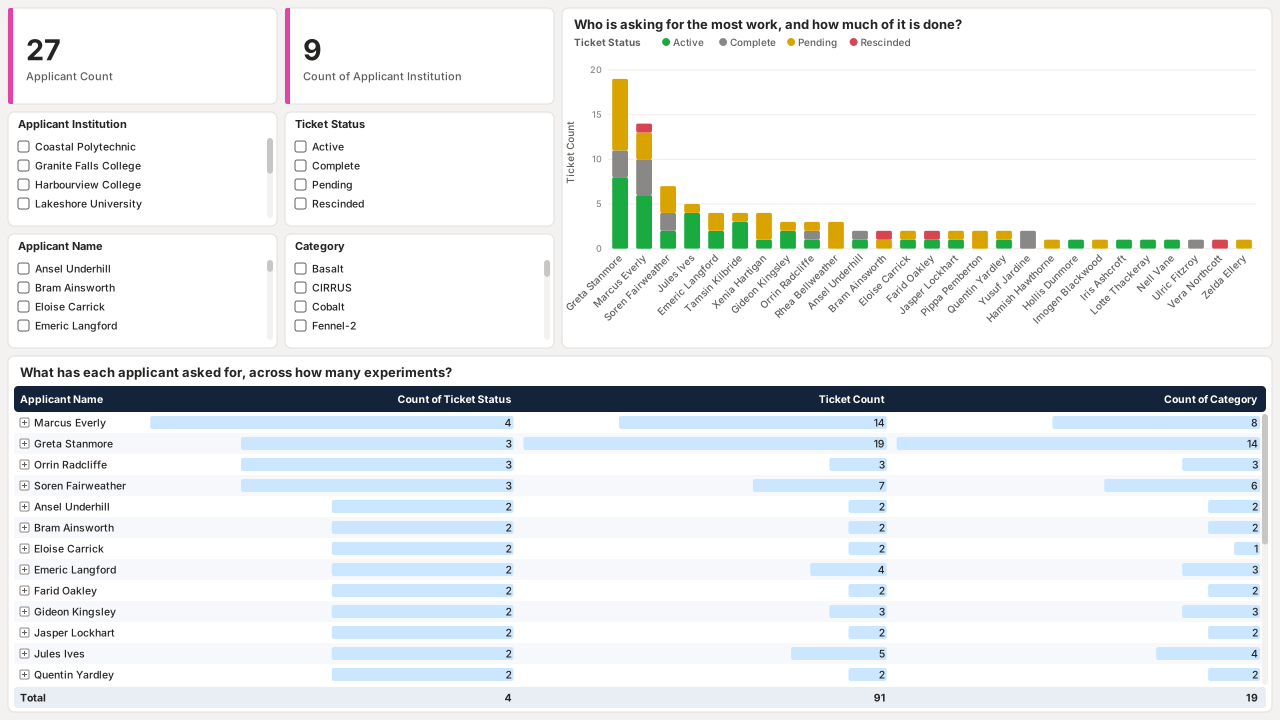
  4. Who asks for the most work, and how much of it has been delivered, on synthetic data: applicant and institution counts, a stacked column chart of tickets per applicant by status, and a matrix of applicants with their tickets and experiments. Who asks for the most work, and how much of it has been delivered
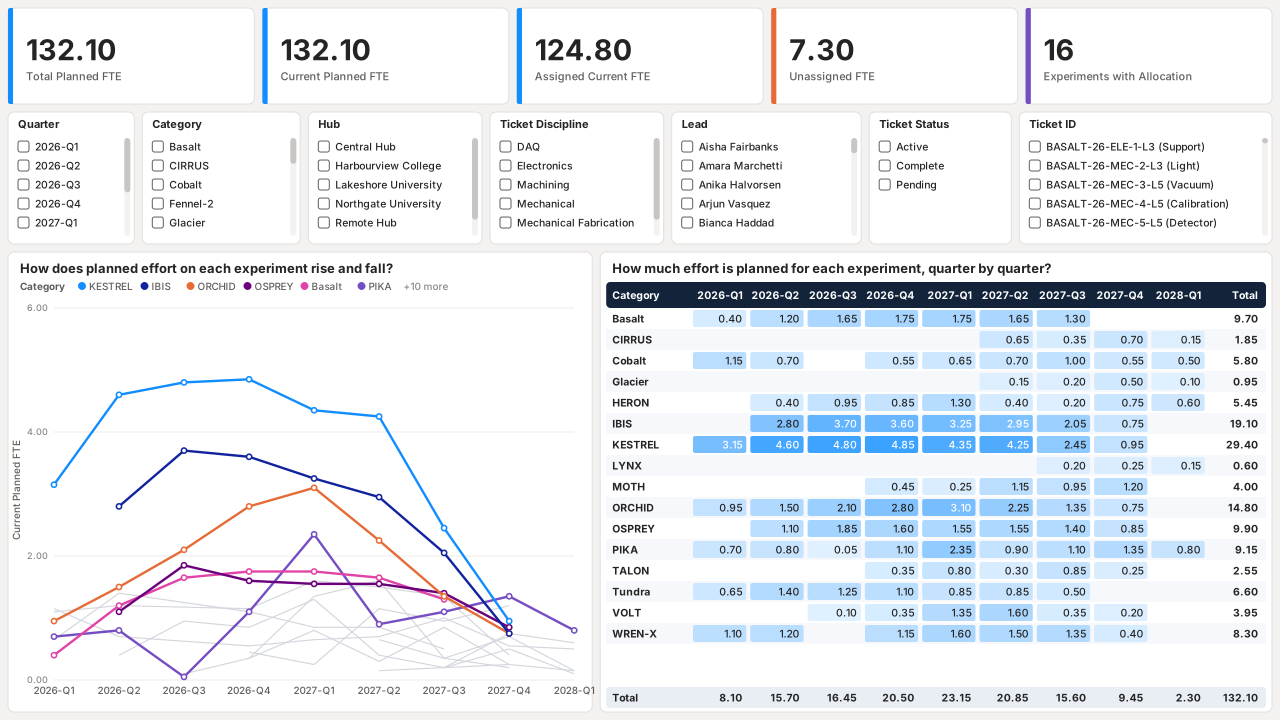
  5. How much staff time each experiment needs, quarter by quarter, on synthetic data: planned, assigned and unassigned FTE cards, slicers, a line chart of planned FTE per experiment by quarter, and a matrix of experiments by quarter. How much staff time each experiment needs, quarter by quarter
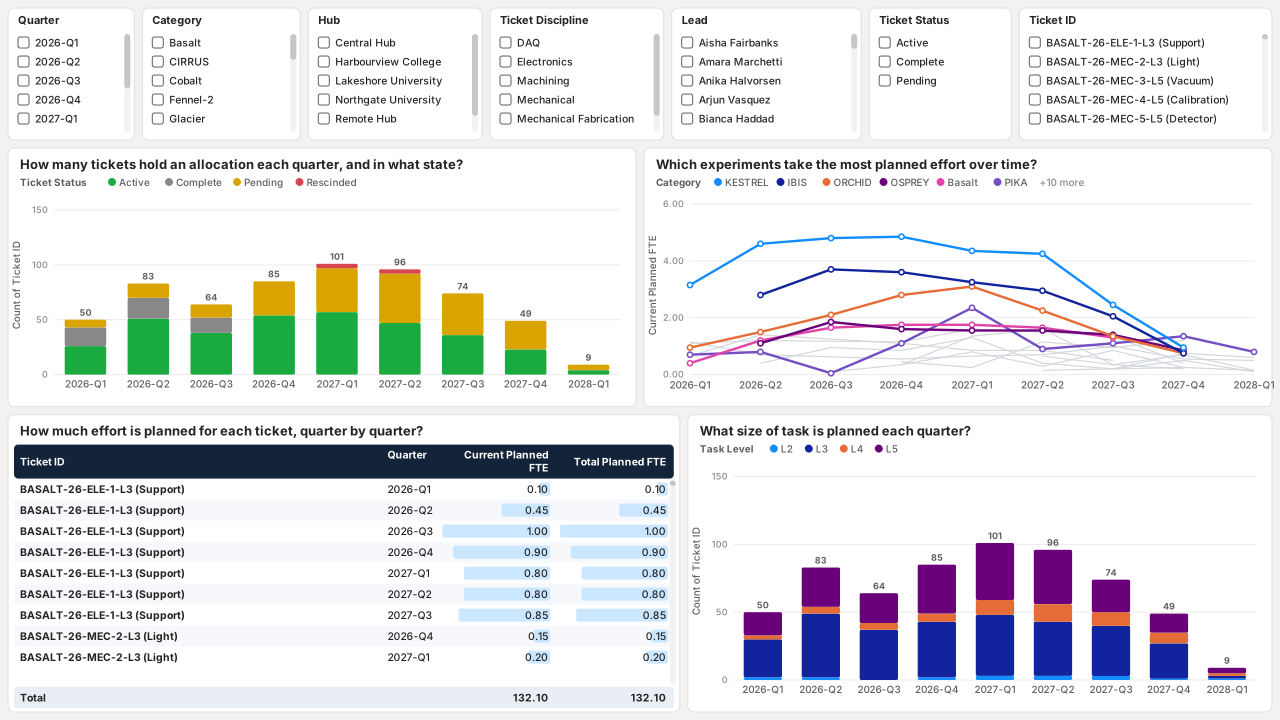
  6. How that time is planned across requests and task sizes, on synthetic data: allocated tickets by quarter and status, planned FTE per experiment over time, a ticket-by-quarter table, and allocations by task level. How that time is planned across requests and task sizes
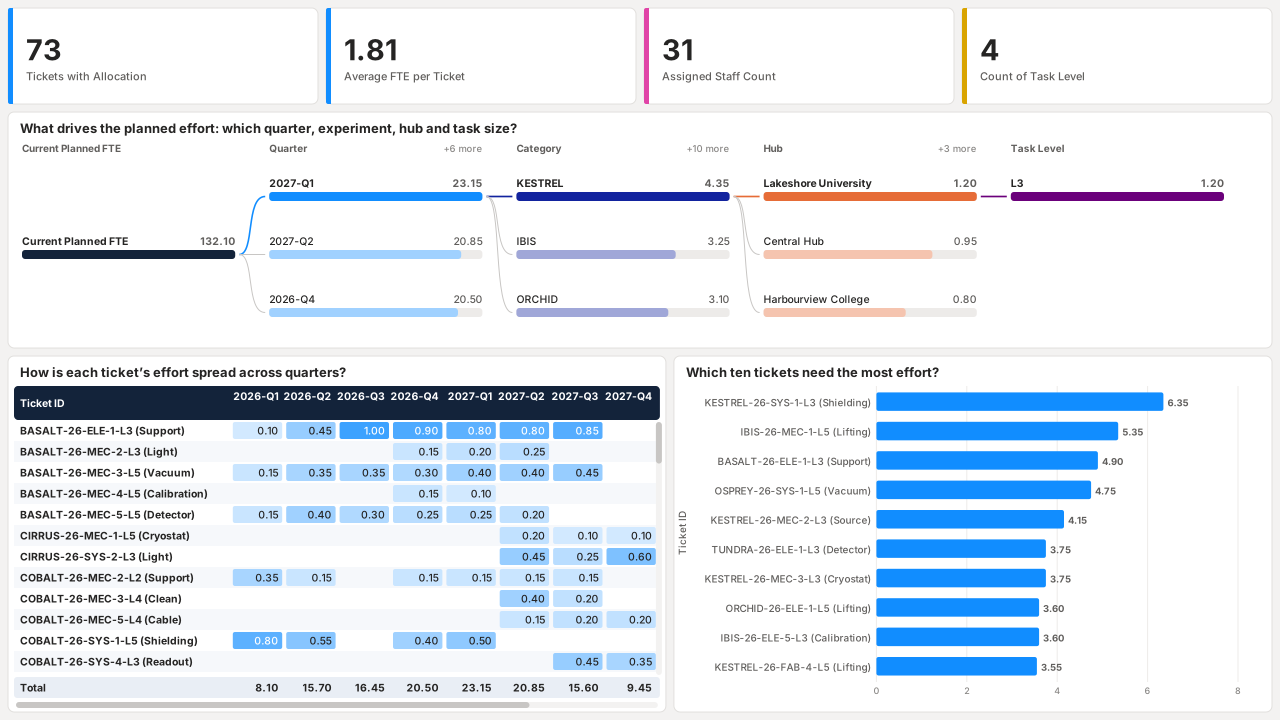
  7. What drives the planned effort, and which ten requests need the most, on synthetic data: a decomposition tree splitting planned FTE by quarter, experiment, hub and task level, a ticket-by-quarter matrix, and the ten largest tickets. What drives the planned effort, and which ten requests need the most
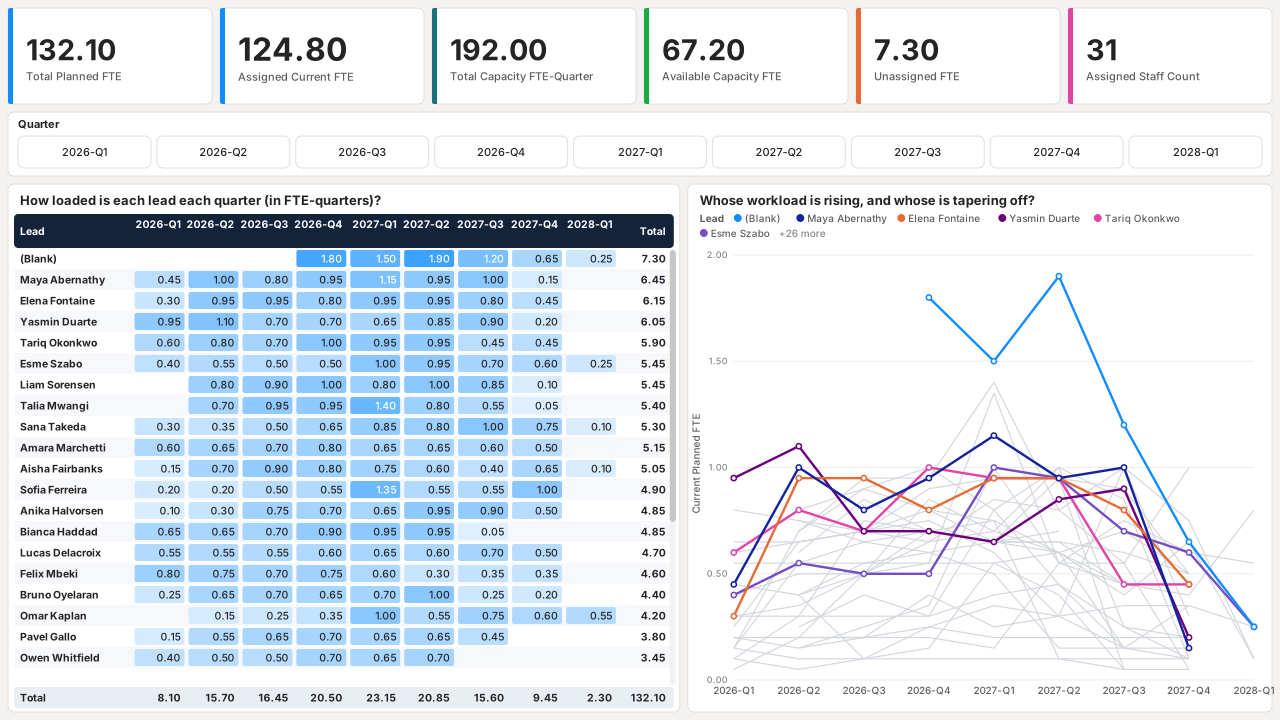
  8. How loaded each team member is against their capacity, quarter by quarter, on synthetic data: planned, capacity and available FTE cards, a quarter button slicer, a matrix of each lead by quarter, and a line chart of each lead over time. How loaded each team member is against their capacity, quarter by quarter
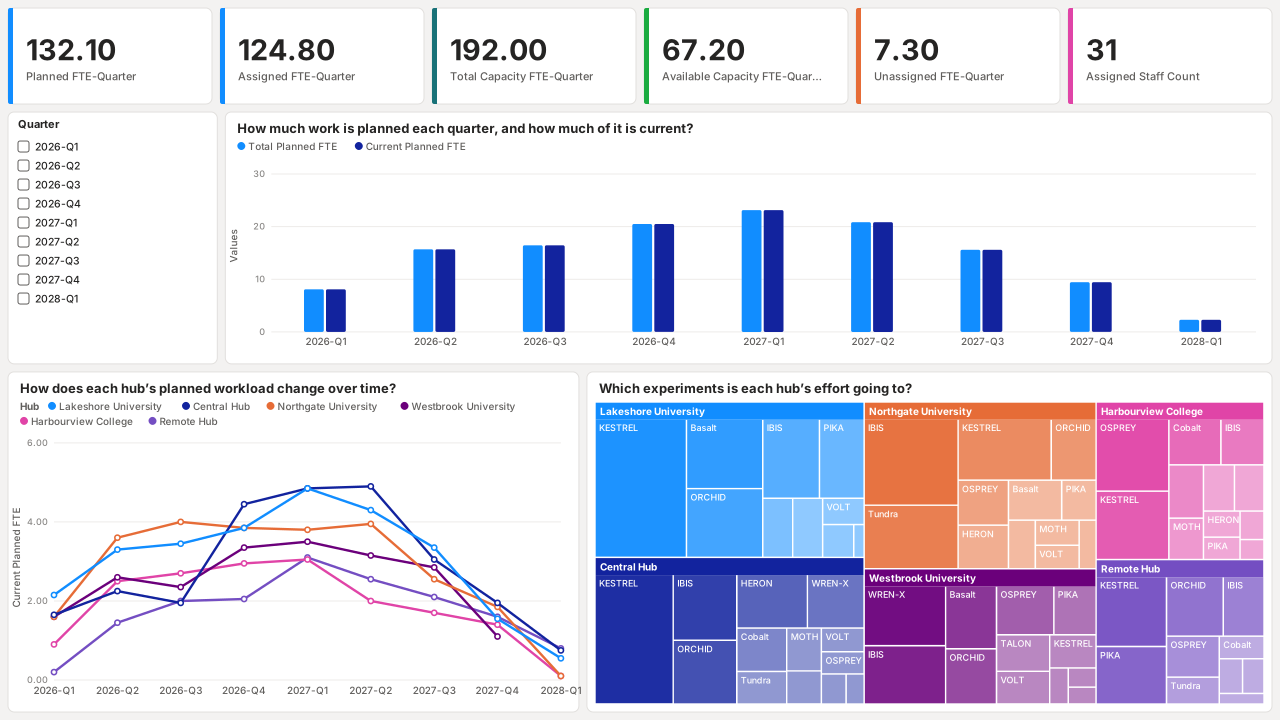
  9. How the workload is shared across sites, and which experiments each site supports, on synthetic data: capacity cards, total and current planned FTE by quarter, planned FTE per hub over time, and a treemap of hubs by experiment. How the workload is shared across sites, and which experiments each site supports
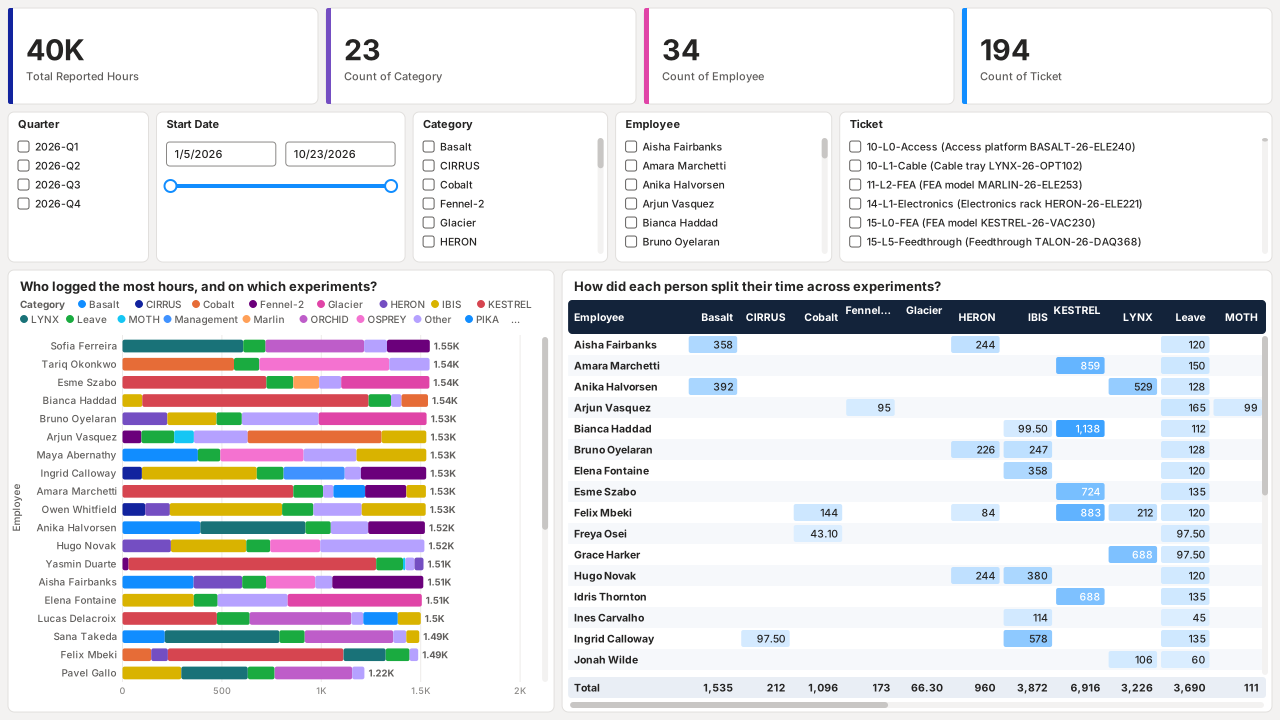
  10. Where staff actually spent their hours, by person and experiment, on synthetic data: reported hours, experiments, employees and tickets, quarter, date, experiment, employee and ticket slicers, hours per employee by experiment, and an employee-by-experiment matrix. Where staff actually spent their hours, by person and experiment
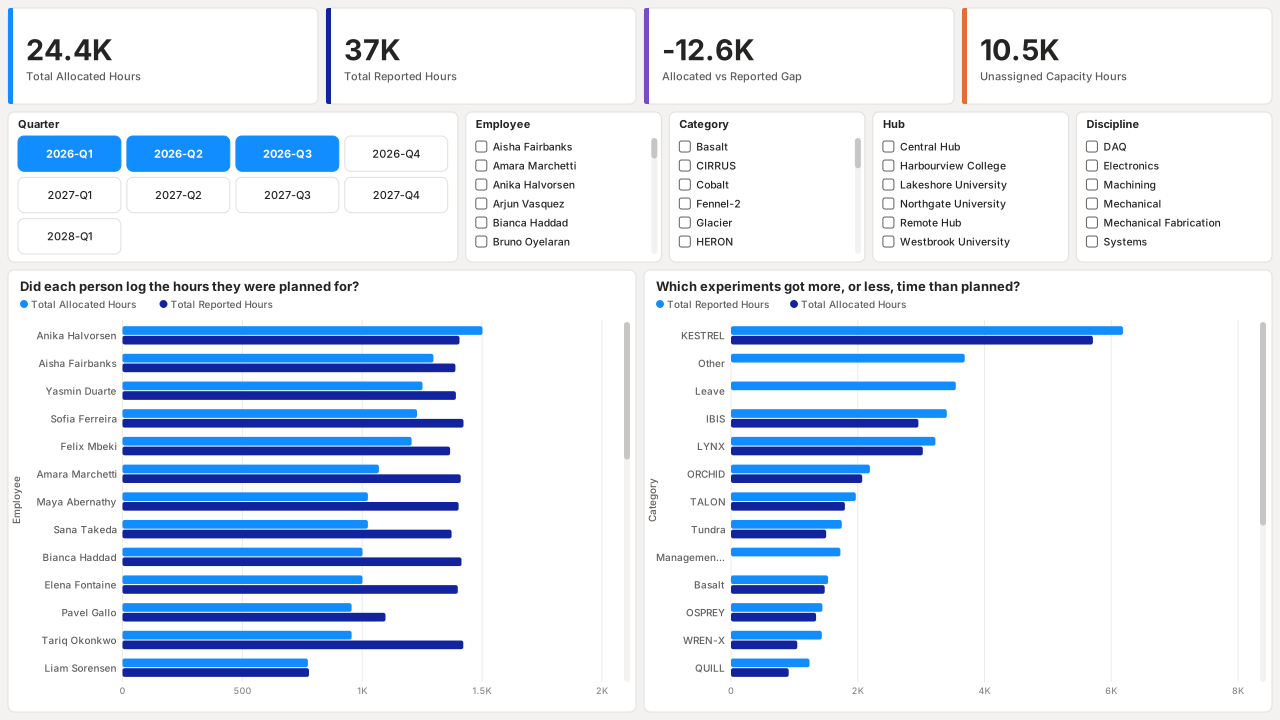
  11. Planned hours against logged hours, by person and by experiment, on synthetic data: totals and unassigned capacity, and clustered bar charts comparing planned and logged hours per employee and per experiment. Planned hours against logged hours, by person and by experiment
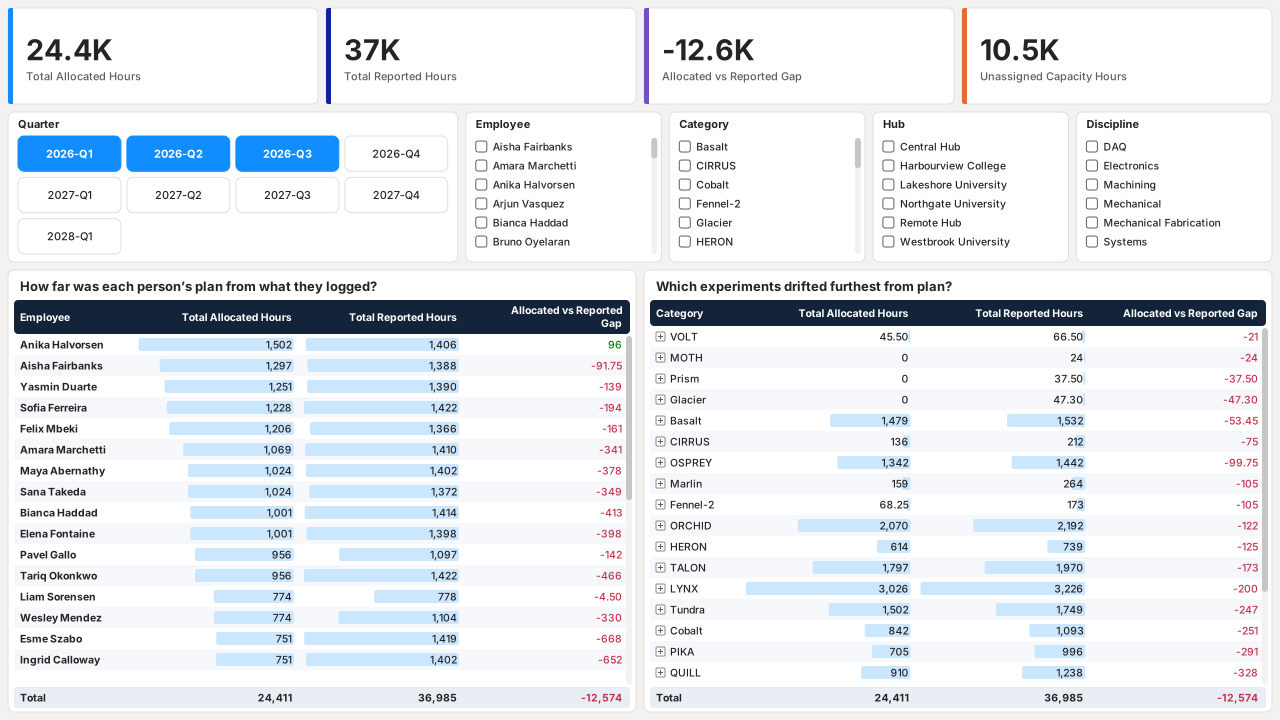
  12. The exact gap between planned and logged hours for every person and experiment, on synthetic data: allocated hours, reported hours and the gap for each employee, and for each experiment with employees nested underneath. The exact gap between planned and logged hours for every person and experiment
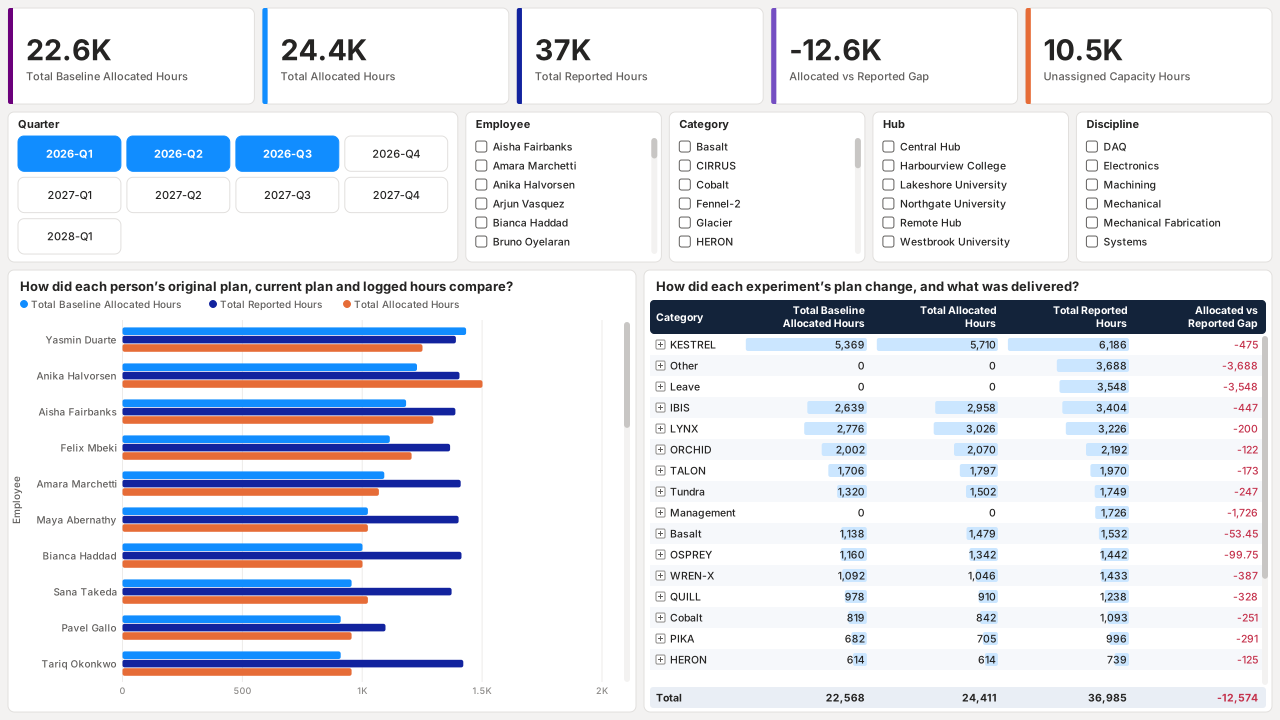
  13. How the original plan changed over time, and what was finally delivered, on synthetic data: a three-way bar chart per employee and a matrix per experiment showing how plans drifted. How the original plan changed over time, and what was finally delivered
Customer segmentation and campaigns

Built for a consumer goods manufacturer to decide who each marketing campaign should reach. Customers are scored on recency, frequency and spend (RFM) in Python and SQL across 10M+ customer records and grouped into eleven segments, and every campaign is measured against a hold-out control group. RFM-targeted campaigns converted 25% better than untargeted ones.

My role: built the RFM scoring and segmentation in Python and SQL, and the Power BI report used to choose each campaign’s audience and track its conversion.

Power BI Python SQL RFM segmentation A/B testing DAX
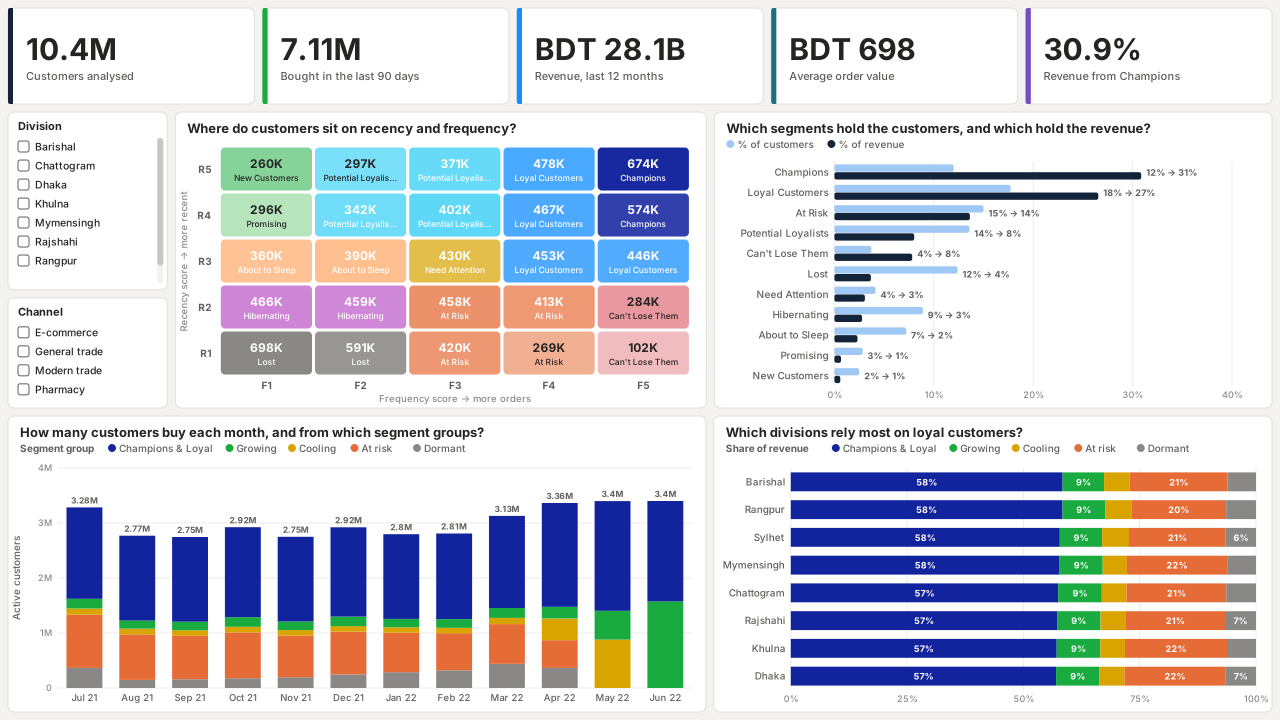
  1. Who the customers are: eleven segments by recency, frequency and spend, on synthetic data: KPI cards for 10.4M customers analysed and BDT 28.1B revenue, division and channel slicers, a recency-by-frequency heat map of RFM segments, customer share against revenue share per segment, monthly active customers by segment group, and revenue mix by division. Who the customers are: eleven segments by recency, frequency and spend
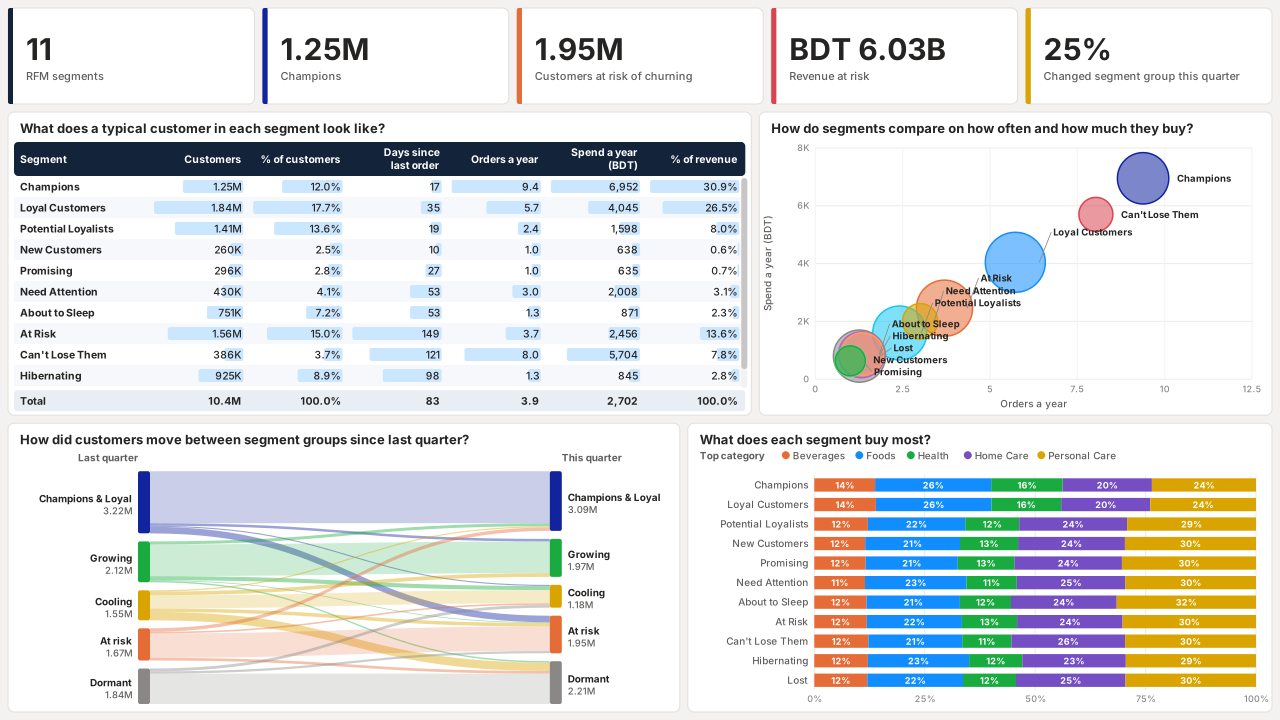
  2. How each segment behaves, and how customers move between segments, on synthetic data: a table of each segment’s size, recency, order frequency and spend, a bubble chart of orders against spend, a Sankey diagram of customers moving between segment groups since last quarter, and top product category by segment. How each segment behaves, and how customers move between segments
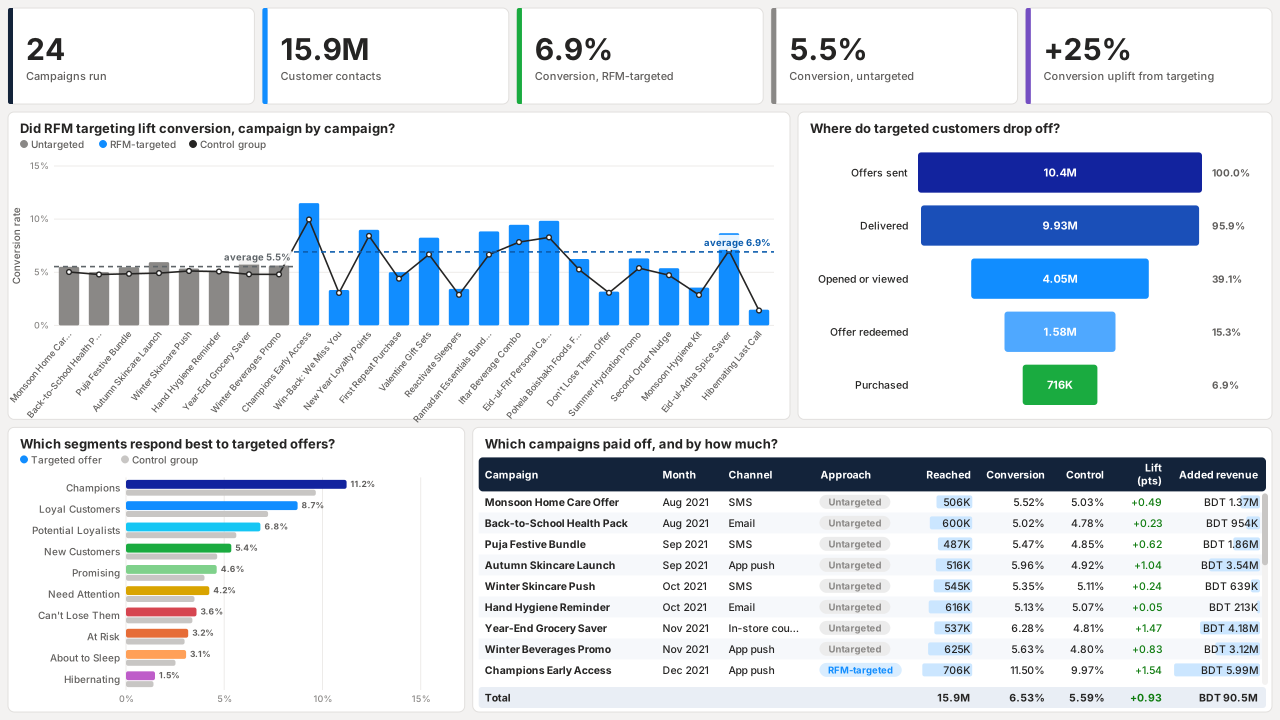
  3. How RFM-targeted campaigns converted against untargeted ones and control groups, on synthetic data: 24 campaigns with RFM-targeted ones converting at 6.9% against 5.5% untargeted, a 25% uplift; conversion per campaign against its control group, the targeted-offer funnel, response by segment, and a campaign table with lift and added revenue. How RFM-targeted campaigns converted against untargeted ones and control groups

Team time and skills insights

Built for a research centre to see where its technical staff’s time goes. It turns Clockify time logs into effort and headcount per experiment, a breakdown of ticket types and each partner university’s contribution, with a second page mapping the team’s expertise by institution.

My role: designed and built the report, turning raw Clockify time logs into a data model in Power Query and writing the DAX measures behind each visual.

Power BI Power Query DAX Clockify Custom visuals
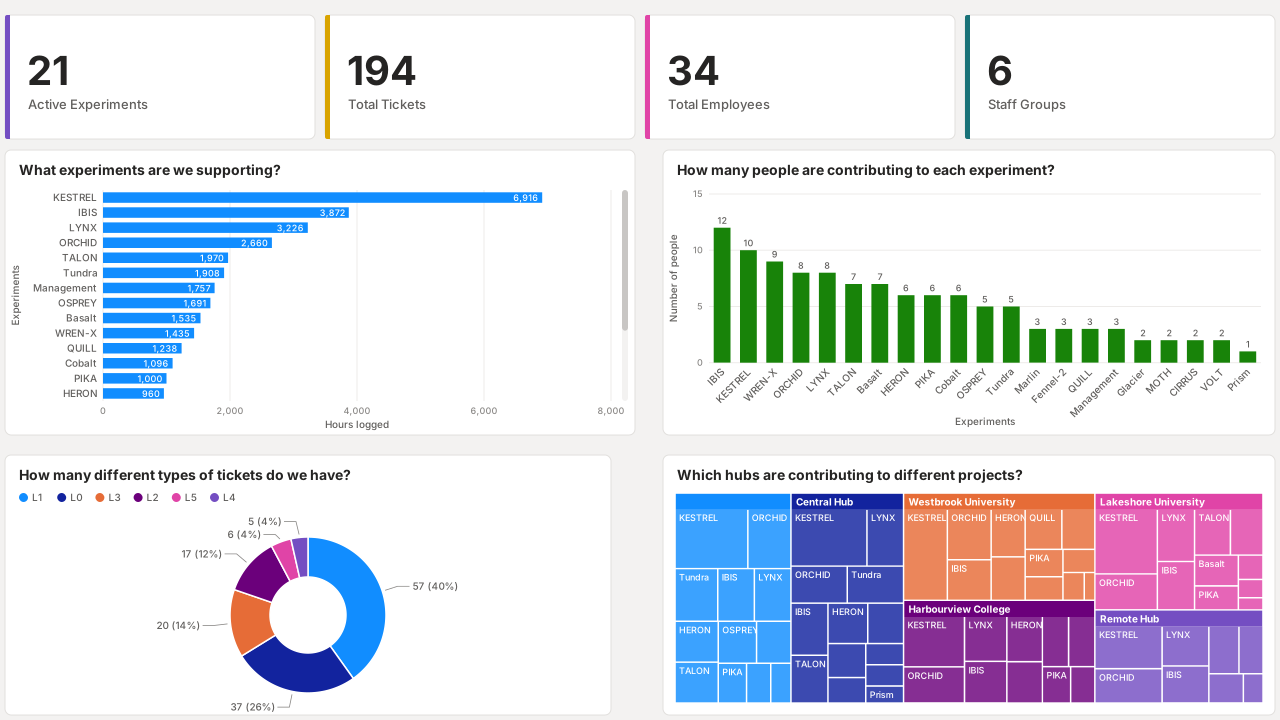
  1. Where the team’s hours go, and how its tickets split by level and site, on synthetic data: KPI cards for 21 active experiments, 194 tickets, 34 employees and 6 staff groups; a bar chart of hours per experiment; a column chart of people per experiment; a donut chart of tickets by level; and a treemap of tickets by hub and experiment. Where the team’s hours go, and how its tickets split by level and site
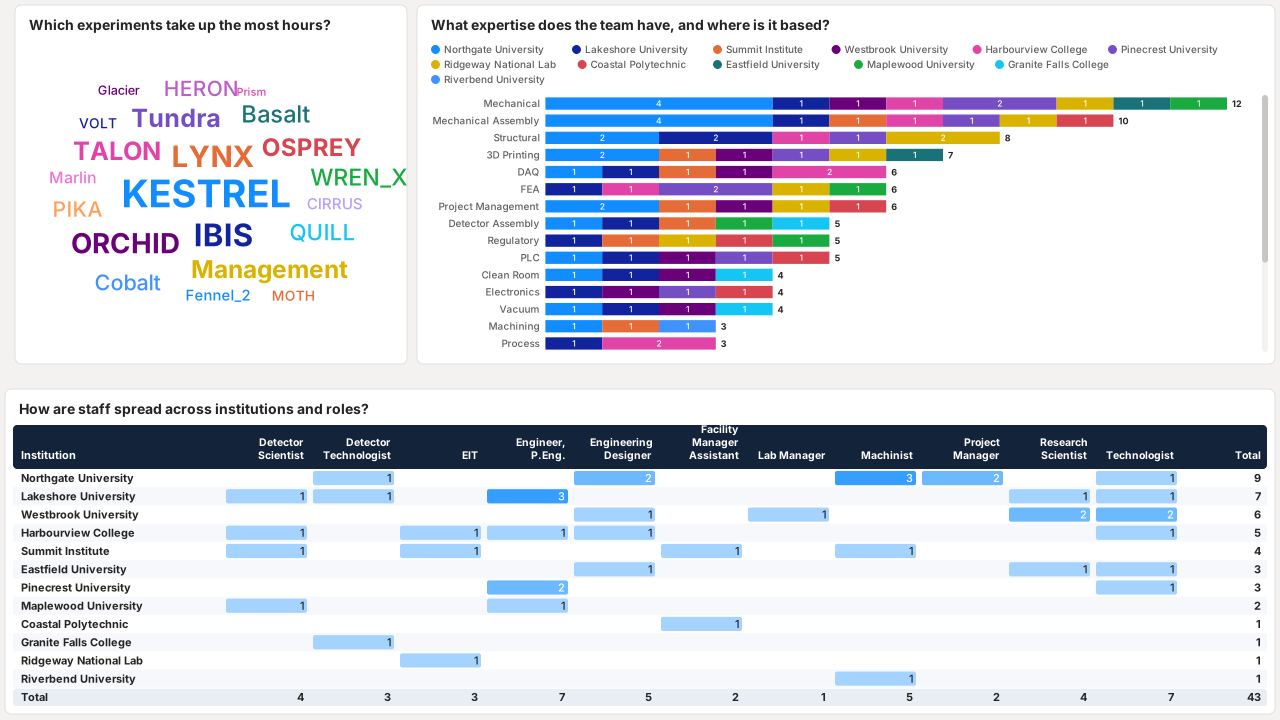
  2. What expertise the team has, and which institution it sits in, on synthetic data: a word cloud of experiments sized by hours, a stacked bar chart of people per expertise area by institution, and a matrix of staff counts by institution and role. What expertise the team has, and which institution it sits in